Compatibility & scope
Based on Samsung's US English e-manuals for 2020–2026 TVs (each shared by a model year) and the EU English e-manual BN81-28760C-510. The manuals don't explain individual error codes or give router settings. Wi-Fi bands, wired networking and some menus vary by model and region. Documentation reviewed; no TV hardware tested for this article.
In this guide
Start with Samsung’s connection test
When a Samsung TV won’t join Wi-Fi, Samsung’s first step is the Smart Hub Connection Test: Settings → Support → Device Care → Self Diagnosis → Smart Hub Connection Test. Let it finish, then work through the checks below in order. Change one thing at a time so you know what fixed it.
How you open Settings depends on the year: press Home, then the left directional button (2023–2026), or Home → Menu (2022). On 2020–2021 TVs, Settings is on the Home screen.
Find the network menus for your TV
| TV year | Network menu |
|---|---|
| 2025–2026 | Settings → All Settings → Connections → Network |
| 2022–2024 | Settings → All Settings → Connection → Network |
| 2020–2021 | Settings → General → Network |
Inside that Network menu:
- Join a network: Network Settings → Wireless (2025–2026), or Open Network Settings (2020–2024).
- Wi-Fi on/off switch: Expert Settings → Wi-Fi. It’s in the 2021–2026 manuals, not the 2020 manual.
- Reset network settings: Reset Network.
The UK/EU manual uses the 2025–2026 names.
Check that Wi-Fi is switched on
Samsung says the TV’s wireless function must be active before it can join a wireless network. Open the Wi-Fi switch in your year’s Network menu (see above) and make sure it’s on.
Select the network and re-enter the password
- Open the network menu for your year and choose Wireless.
- Select your home network and enter its password carefully. Samsung’s checklist asks you to make sure the security key was entered correctly.
- If your network isn’t listed, select Add Network at the bottom of the list and type the network name (SSID).
If your router uses only 5 GHz or 6 GHz, note that Samsung says those bands may not be supported on some models.
Restart the router and the TV
- Check that the router is on and its cables are connected.
- Turn the router off and on again. Samsung’s 2022–2026 manuals allow 2 to 3 minutes for it to come back; the 2020–2021 manuals say to wait 1 or 2 minutes before turning it on again.
- Restart the TV: unplug its power cord and plug it back in, or press and hold its power button for at least 3 seconds.
- Try to connect again and rerun the connection test.
Samsung also suggests moving any device that gives off electromagnetic interference away from the line between the TV and the router.
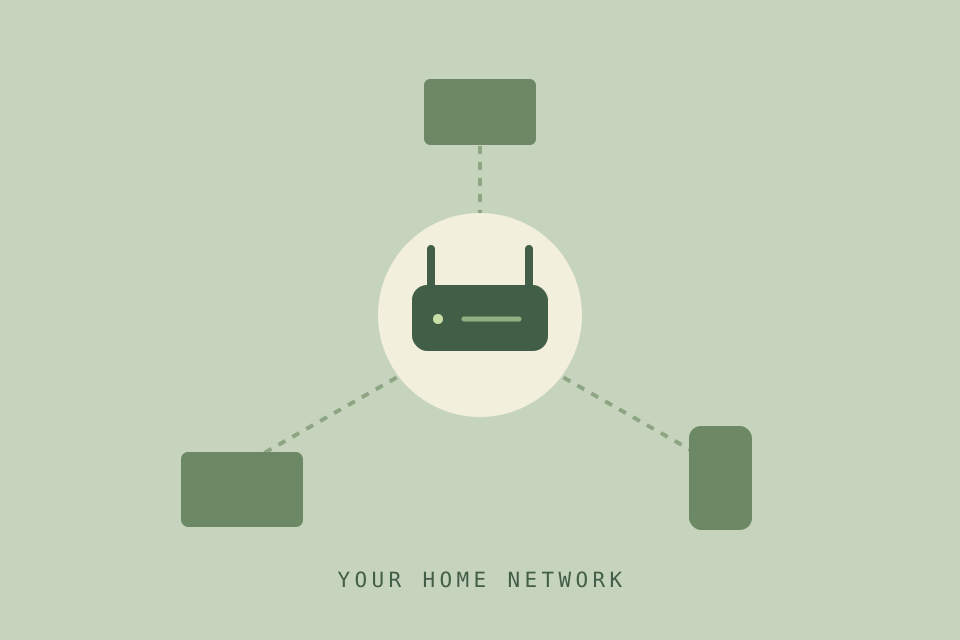
Is it the Wi-Fi or the internet?
- Try a cable. If your TV has a LAN port, connect it to the router. If the internet works over the cable, Samsung says the problem may be the wireless router, and suggests trying a different one. Some models don’t support wired networks.
- Connected to the local network but no internet: check that the internet cable is connected to the router’s external LAN port, then check the DNS setting in Network → Network Status → IP Settings. Note the existing values before changing anything.
Samsung’s 2022–2026 checklists also suggest connecting your phone to the same router over Wi-Fi.
Reset the TV’s network settings
Reset Network restores the TV’s network settings to their factory defaults, so have your Wi-Fi name and password ready to reconnect. Try it after the checks above. It’s a separate option from a full factory reset, which resets every TV setting.
If it still won’t connect
Write down the connection test result and where it fails: the network isn’t listed, the TV won’t join it, or it joins but can’t reach the internet. Contact Samsung support with your full model code and that result.
Once you’re online, check for a software update, and use the IP address guide if you need the TV’s network details.
Sources & scope
Pages 9–12, 25, 252, 270
View sourceSamsung US download for the QN65QN90FAFXZA; the e-manual is shared by 2025 TVs. Consulted: Connecting to the network, wireless connection, Allowing to connect a wireless network (Wi-Fi), Reset Network, Network Issues and Self Diagnosis. The 2026 US manual (BN81-28760A, pages 11–12, 259, 275) matches it.
Pages 9–11, 207, 220
View sourceSamsung US download for the QN65QN90CAFXZA; the e-manual is shared by 2023 TVs. Consulted: network connection, Wi-Fi switch, Reset Network and Network Issues. Uses Connection rather than Connections; the 2024 manual (BN81-25561A, pages 10–11, 219, 233) matches it.
Pages 9–12, 206, 219
View sourceSamsung US download for the QN65Q60BAFXZA; the e-manual is shared by 2022 TVs. Consulted: network connection, Wi-Fi switch, Reset Network and Network Issues. Paths start with Home, then Menu.
Pages 9–10, 178
View sourceSamsung US download for the UN65AU8000FXZA; the e-manual is shared by 2021 TVs. Consulted: network connection, Wi-Fi switch (Settings → General → Network → Expert Settings → Wi-Fi) and Network Issues.
Pages 7–9, 31, 126
View sourceSamsung US download for the UN65TU7000FXZA; the e-manual is shared by 2020 TVs. Consulted: Open Network Settings, Reset Network, Smart Hub Connection Test and Network Issues. This manual has no Wi-Fi on/off switch section.
Pages 10–13, 285–286
Find your model’s manualOwner-supplied EU English e-manual; the link opens Samsung's model lookup, not this exact PDF. Consulted: network connection, Allowing to connect a wireless network, and Network Issues.
These instructions are based on manufacturer documentation. They have not been device-tested for this guide.
Based on Samsung's US English e-manuals for 2020–2026 TVs (each shared by a model year) and the EU English e-manual BN81-28760C-510. The manuals don't explain individual error codes or give router settings. Wi-Fi bands, wired networking and some menus vary by model and region. Documentation reviewed; no TV hardware tested for this article.
Original Press Okay vector artwork; illustrative, not a Samsung interface screenshot.